
How to share tracks and video snippets
Share a track by link, as a 30-second video snippet for Instagram or TikTok, or as a message in Rap Fame chat.
Updated September 21, 2026
Contents
You can share every track on Rap Fame: your own tracks and the tracks of other artists. The share menu gives you a link, a short video, or a message in Rap Fame chat.
Open the share menu on an iPhone
- Find the track. The track can be in the Feed, on a profile, in a contest, or in Radio.
- Tap the three dots at the top right of the track.
- Tap Share.
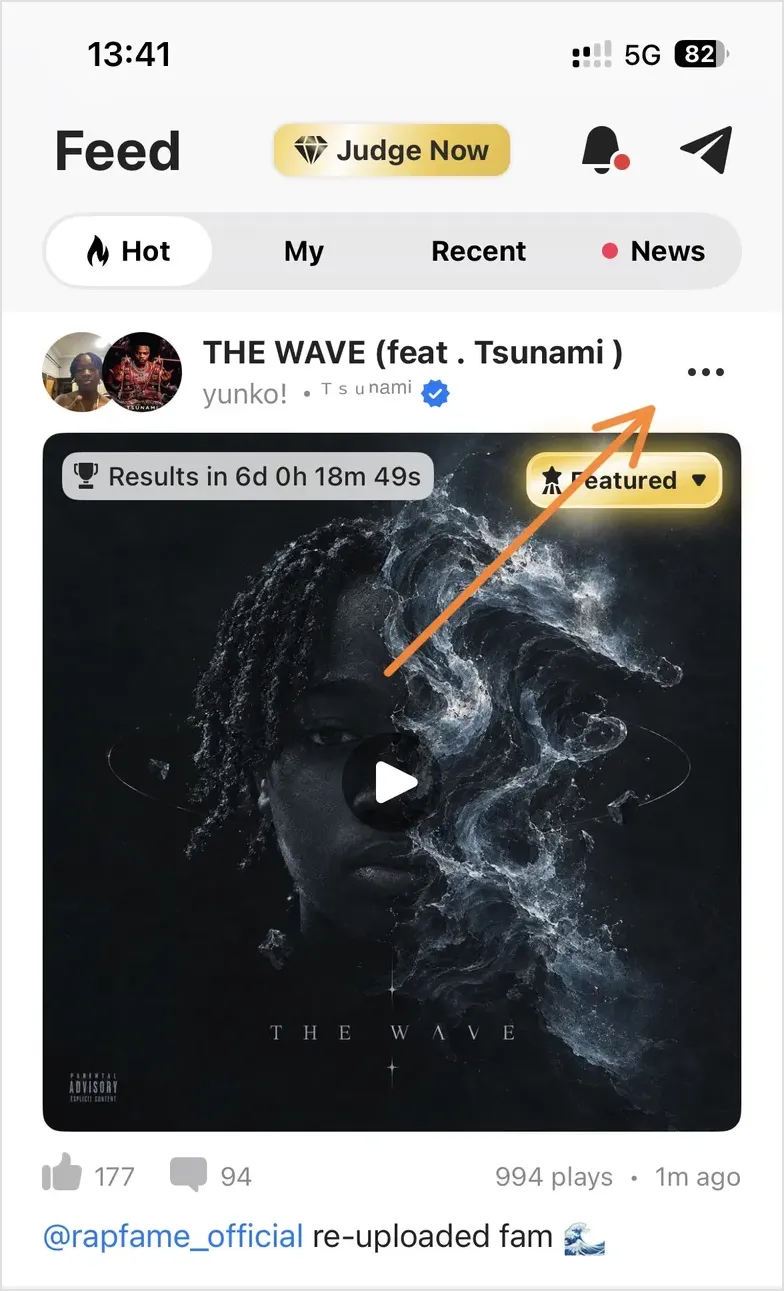
The menu shows three share options.
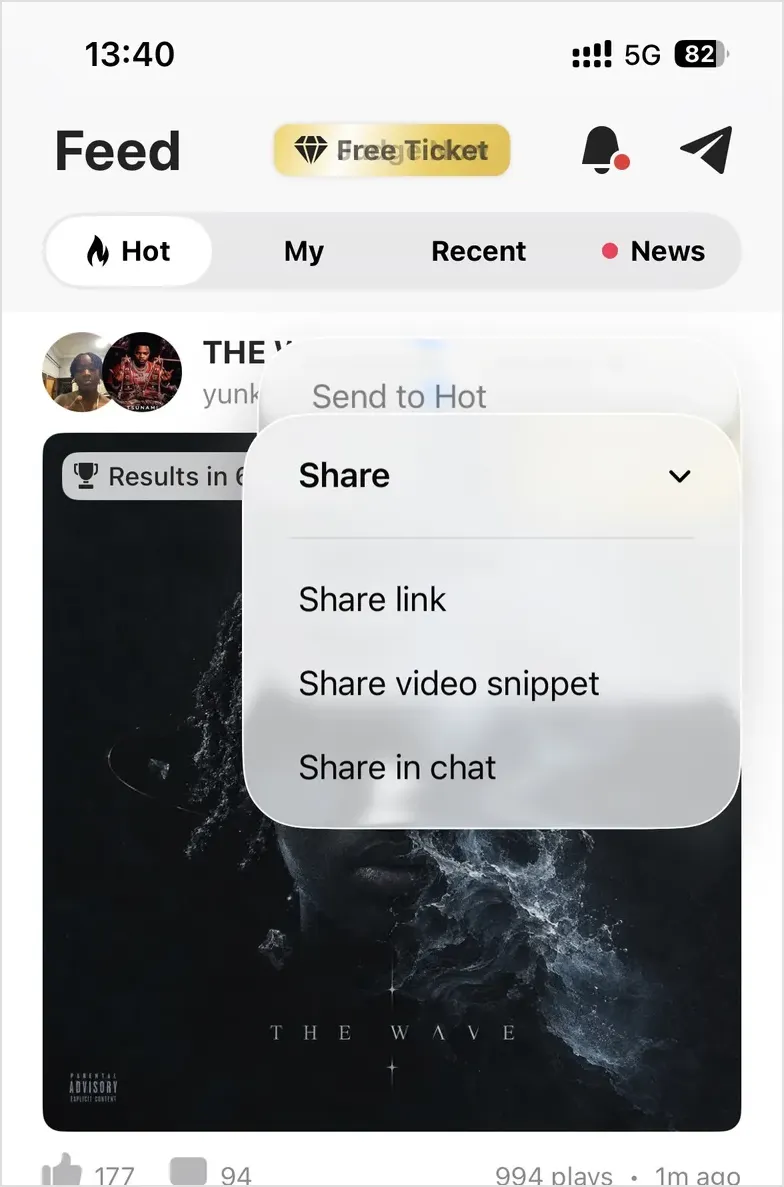
Share link
Tap Share link. Your phone opens the standard share sheet. Select a messenger, a social app, or Copy.
The share sheet sends a short text and a link to the track page on rapfame.app. Your friend can open the link in a browser and listen to the track. If your friend has the Rap Fame app, the link opens the track in the app.
Share video snippet
Tap Share video snippet. Rap Fame makes a video file from the track:
- The track cover is the picture.
- The first 30 seconds of the track are the sound.
- A Rap Fame watermark is in the bottom right corner.
The phone share sheet opens when the video file is ready. The video file is in the list of items to share.
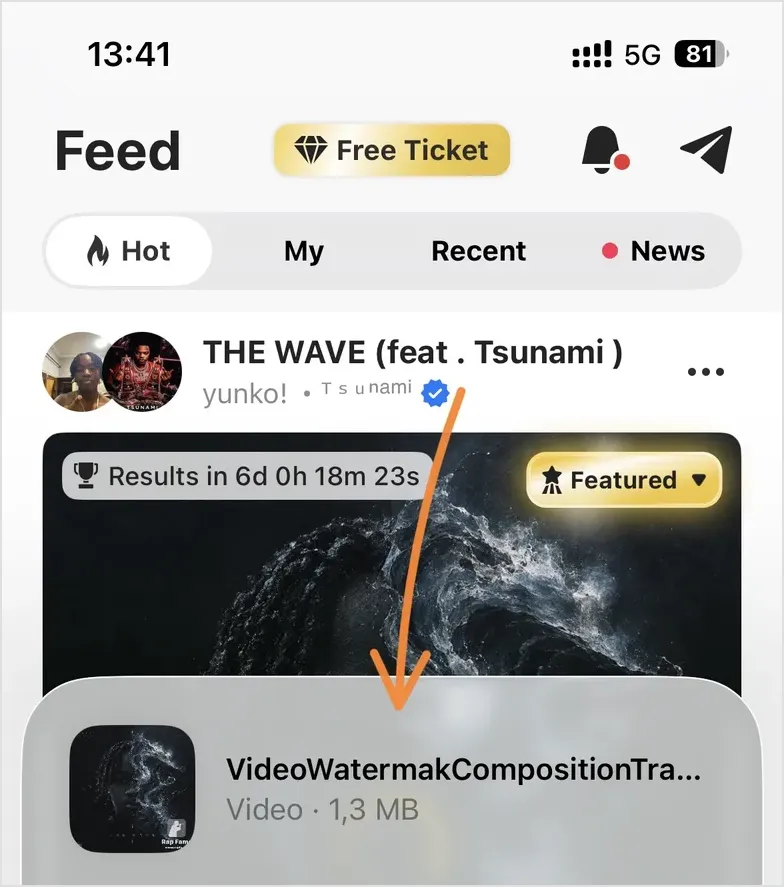
Use this option for Instagram Stories, TikTok, YouTube Shorts and WhatsApp status. These apps need a video file. A link is not sufficient.
This option is available for audio tracks only. A video track already has a video file. Share a video track with Share link.
Share in chat
Tap Share in chat. Rap Fame shows your chat list. Select a person. Rap Fame sends the track link as a chat message.
To send a chat message, you must activate your account and verify your email address. Read how to activate your account.
Sharing on Android
The Android app has the same two link options, but you open them from the share button below the track. Android shows Share link and Share on Rap Fame chat. They work like the iPhone options Share link and Share in chat.
In the video feed, tap the three dots and tap Share. The phone share sheet opens immediately.
If you are not signed in, Android opens the phone share sheet immediately.
Share video snippet is available in the iPhone app only.
Send to Hot is not a share option
The same three dots menu can also show Send to Hot. This option promotes the track inside Rap Fame and gives the track more plays and more feedback. Read how to send a track to Hot.